Buck converter 3.3 V / 5 V, 2 A, Vin up to 17 V (TPS562203)
TI TPS562203 synchronous buck, 4.5–17 V input, 2 A, 4.7 µH shielded inductor. Input: R6 (0R) is fitted by default; D1 (B130 Schottky, DNP) can be fitted instead for reverse-polarity protection; ferrite bead FB2. Enable: R4 (0R to VIN, always on) or R5 (to BUCK_EN). Test points on input and output.
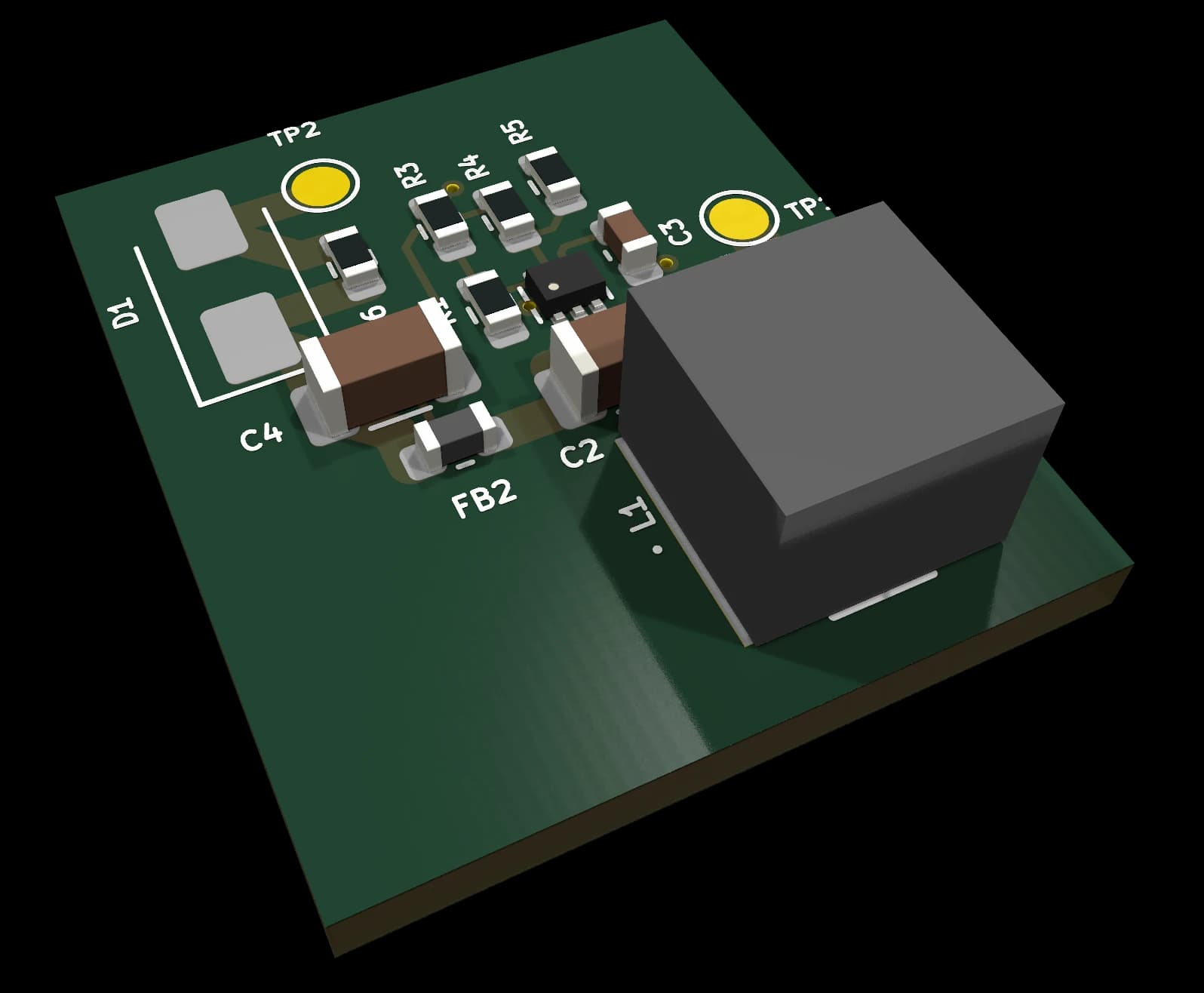
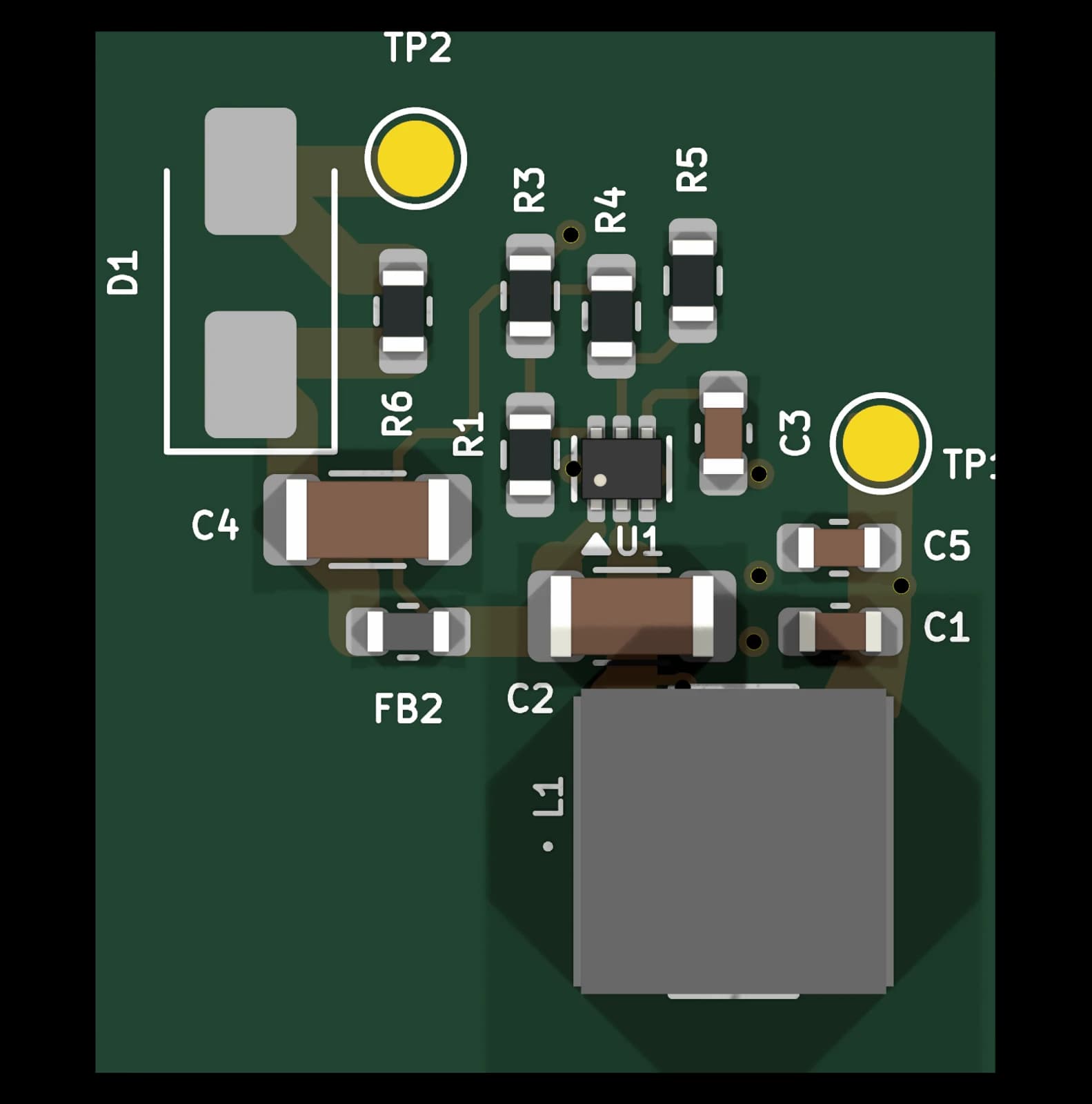
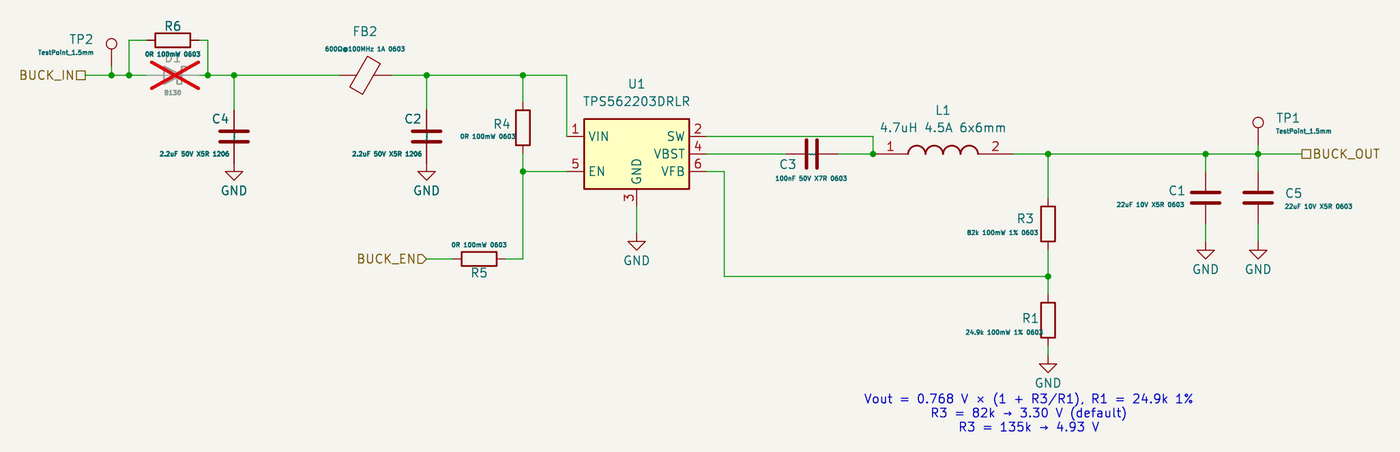
Key specifications
- Vin 4.5–17 V (5 V option: Vin ≥ ~5.6 V)
- Vout 3.30 V (R3 = 82k, default) or 4.93 V (R3 = 135k), R1 = 24.9k 1 %, Vref 0.768 V; 2 A
- BUCK_EN: enable input, only with R4 DNP (see open item 0101-02)
This block is not available yet. It is released once its checks are complete. Planned price: €29.
Planned package contents
KiCad 10 design block
Schematic and PCB layout fragment; symbols and footprints embedded
BOM (CSV)
Manufacturer part numbers and LCSC codes
Schematic PDF + README
Interface, specs, population options and design notes
3D models
STEP models of the special parts; standard parts use KiCad’s 3D library
template.yaml
Machine-readable interface and limits
Planned: PCB Composer
Place blocks like this one as tiles and get them routed into one board, without opening KiCad.
About PCB ComposerDevelopment status
| Block ID | 0101 |
|---|---|
| Block name | 0101-buck-3v3-5v-2a-vin-17v |
| Version | 1.1 |
| Status | Designed – Schematic and layout fragment done; ERC/DRC clean-up and hardware verification pending. |
| Open review items | 1 (0 blocking) |
| PCB layout | Layout fragment without board outline; DRC clean-up pending |
| Format | KiCad 10 design block (schematic + PCB) |
| Last change | 2026-10-18 |
Interface
Hierarchical labels the block exposes to the rest of your design.
| Net | Direction | Description |
|---|---|---|
| BUCK_IN | Power in | Buck converter input voltage (4.5–17 V) |
| BUCK_OUT | Power out | Regulated output voltage (3.3 V or 5 V, max 2 A) |
| BUCK_EN | Input | Enable pin — active high; float or pull high to enable |
FAQ
Which KiCad version do I need?
KiCad 10. The files are saved in the KiCad 10 format and are meant to be placed with KiCad’s Design Blocks feature (schematic block, then “Apply Design Block Layout” on the PCB).
Do I need the Circuit Issues part library?
No. Symbols are embedded in the schematic and footprints in the PCB, so the block opens on its own. Parts carry manufacturer part numbers and LCSC codes.
Is the layout production-ready?
Not yet. The PCB part is a layout fragment without a board outline and its DRC clean-up is still open. The status above shows where this block is.
Can I use the template in a commercial product?
The licence terms are published together with the first release.
Related templates
0140 ESP32-S3 Core (WROOM-2)
Free KiCad 10 design block: ESP32-S3-WROOM-2 (16 MB flash, 8 MB PSRAM) with native USB-C, ESD protection, BOOT/RESET buttons and 22 GPIOs on labels.
Designed0110 Low-side Switch 5 A
KiCad 10 design block: logic-level N-MOSFET low-side switch for pumps, LED strips and solenoids, 24 V / 5 A, PWM-capable from a 3.3 V GPIO.
Designed0120 BQ24650 MPPT Solar Charger
KiCad 10 design block: TI BQ24650 MPPT charger for a 12 V lead-acid battery (14.1 V) from a solar panel up to 28 V; status and PV-voltage outputs.
Designed