MPPT solar charger, lead-acid output
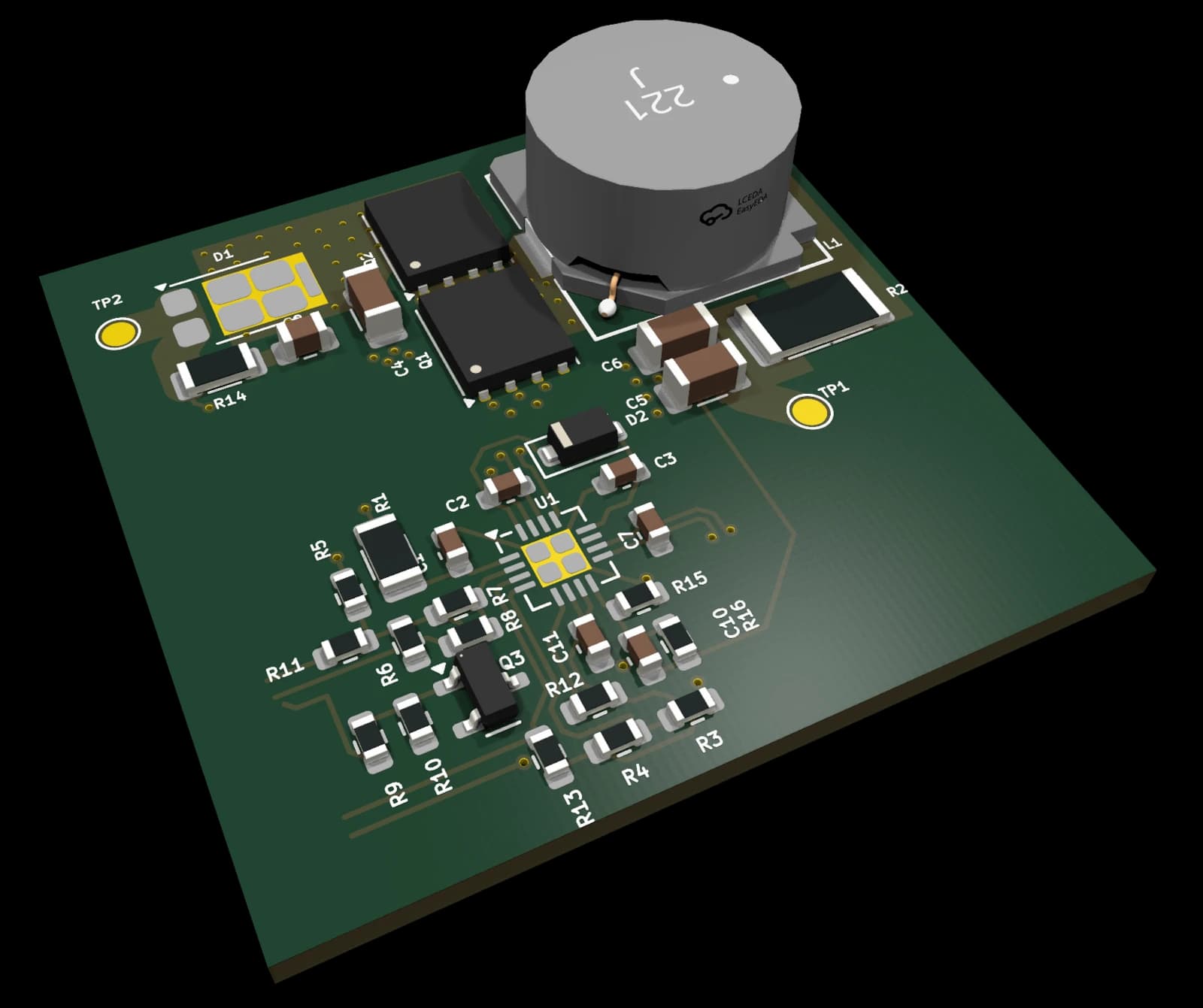
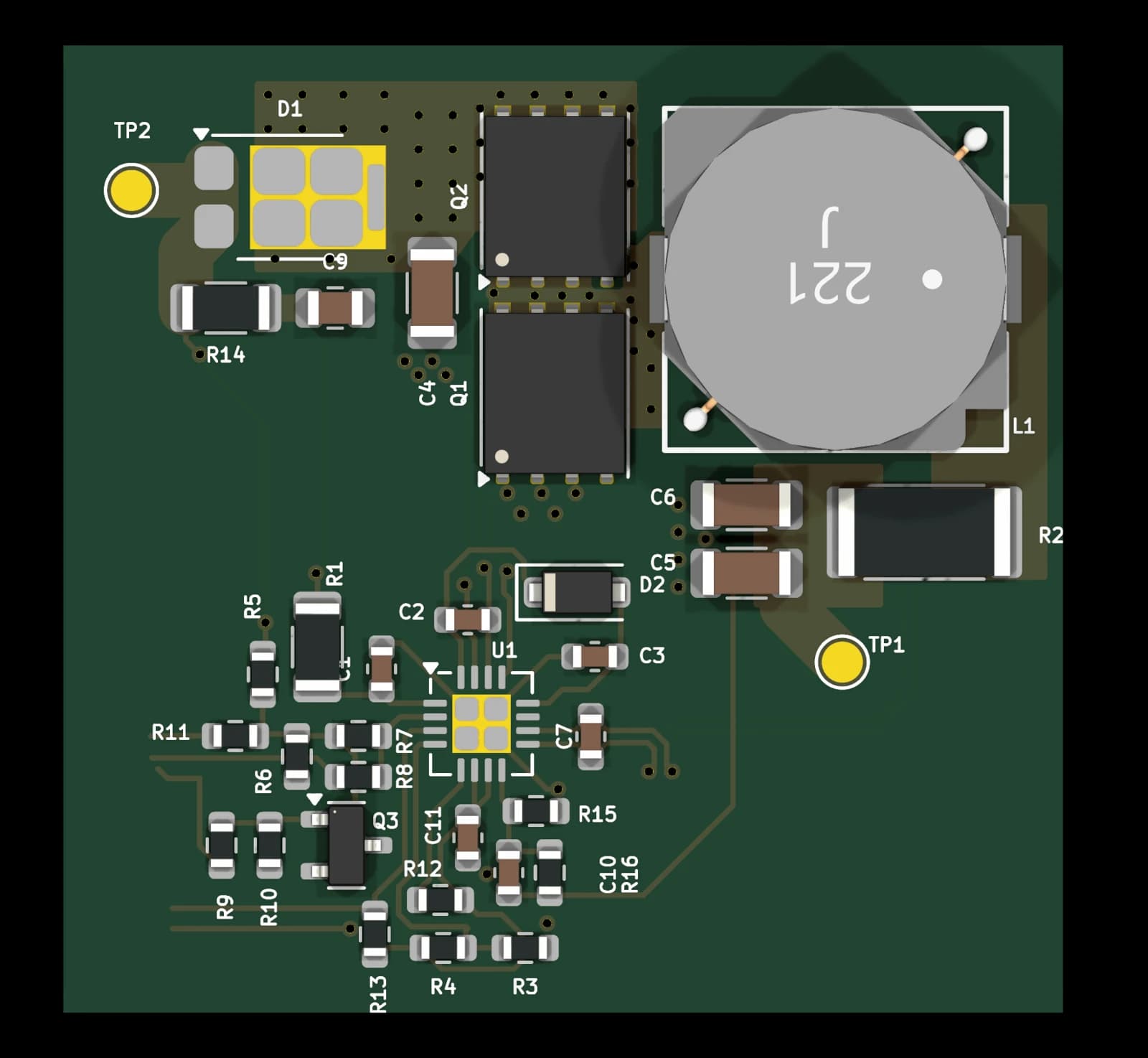
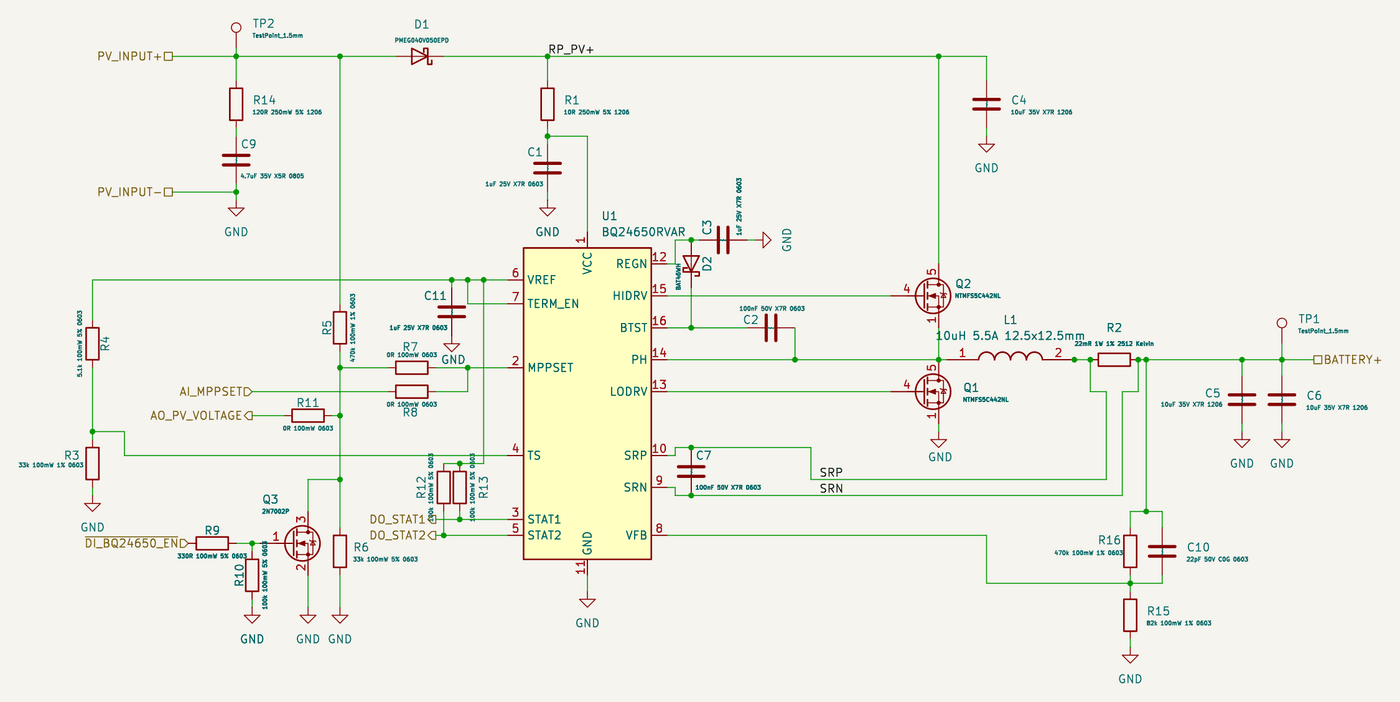
Synchronous buck MPPT charge controller for a 12 V lead-acid battery from a solar panel, with two power MOSFETs, a 12.5 mm power inductor and a Kelvin current-sense shunt. MPPT setpoint divider, two status outputs and a scaled PV-voltage output for the MCU ADC.
Key specifications
- PV input up to 28 V; MPPT point ≈ 18.3 V for a 36-cell 12 V panel
- Charge voltage 14.14 V (12 V lead-acid absorption level; no separate float stage)
- Charge current ≈ 1.8 A
- No battery temperature sensing (TS input fixed inside the charge window)
This block is not available yet. It is released once its checks are complete. Planned price: €29.
Planned package contents
KiCad 10 design block
Schematic and PCB layout fragment; symbols and footprints embedded
BOM (CSV)
Manufacturer part numbers and LCSC codes
Schematic PDF + README
Interface, specs, population options and design notes
3D model (STEP)
The whole block as one STEP file for your enclosure design
template.yaml
Machine-readable interface and limits
Licence
Use in your own products, commercial ones included
PCB Composer · from €99
Don't want to route it yourself? We compose this block with others into one routed, rule-checked board, without you opening KiCad.
Order a board with this blockDevelopment status
| Block ID | 0120 |
|---|---|
| Block name | 0120-mppt-solar-charger-lead-acid |
| Version | 2.2 |
| Status | DRC clean – Schematic and layout pass the KiCad rule checks; not yet verified on hardware. |
| Open review items | 2 (0 blocking) |
| PCB layout | Rule-checked layout fragment |
| Format | KiCad 10 design block (schematic + PCB) |
| Last change | 2026-11-05 |
Interface
Hierarchical labels the block exposes to the rest of your design.
| Net | Direction | Description |
|---|---|---|
| PV_INPUT+ | Power in | Solar panel positive input |
| PV_INPUT- | Passive | Solar panel negative / power GND |
| BATTERY+ | Power out | Battery charge output positive |
| DO_STAT1 | Output | Charger status 1, open-drain output |
| DO_STAT2 | Output | Charger status 2, open-drain output |
| ~{DI_CHARGER_EN} | Input | Charger enable — active low; pull low to disable charging |
| AI_MPPSET | Input | Analog MPPT voltage setpoint input (connected to VFB divider) |
| AO_PV_VOLTAGE | Output | Analog PV voltage output via resistor divider (for ADC monitoring) |
FAQ
Which KiCad version do I need?
KiCad 10. The files are saved in the KiCad 10 format and are meant to be placed with KiCad’s Design Blocks feature (schematic block, then “Apply Design Block Layout” on the PCB).
Do I need the Circuit Issues part library?
No. Symbols are embedded in the schematic and footprints in the PCB, so the block opens on its own. Parts carry manufacturer part numbers and LCSC codes.
Is the layout production-ready?
The layout fragment passes the KiCad design rule check. Route it into your board and run DRC with your own fab rules.
Can I use the template in a commercial product?
The licence terms are published together with the first release.
Related templates
0010 INA219 Current / Power Monitor
KiCad 10 design block: TI INA219 high-side current, bus-voltage and power monitor on I²C with a current-sense shunt, 5 A at up to 26 V and selectable address.
Designed0101 Buck Converter 2 A
KiCad 10 design block: synchronous buck converter, 4.5–17 V in, 3.3 V / 2 A out (5 V option), with optional reverse-polarity diode.
DRC clean0140 ESP32-S3 Core (WROOM-2)
Free KiCad 10 design block: ESP32-S3-WROOM-2 (16 MB flash, 8 MB PSRAM) with native USB-C, ESD protection, BOOT/RESET buttons and 22 GPIOs on labels.
DRC clean